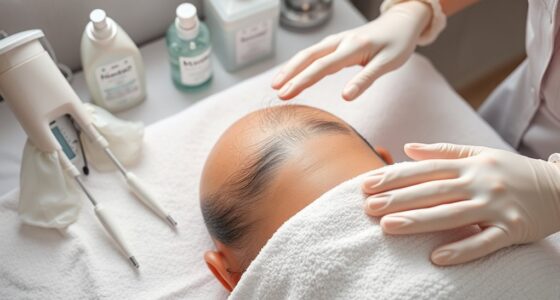
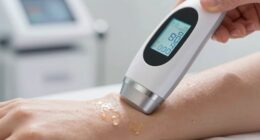
To adjust device settings for different hair densities, first evaluate whether the hair is thick, coarse, fine, or sparse. Increase the energy gradually for thicker, denser areas like the back or legs, while using lower settings for delicate spots such as the face. Always monitor your skin’s response and perform patch tests to prevent irritation. Keep detailed records of your adjustments, and if you keep exploring, you’ll discover even more tips for safe, effective treatments.
Key Takeaways
- Assess hair density and thickness to determine appropriate energy levels; denser hair requires higher fluence.
- Start with conservative settings and gradually increase based on hair response and skin tolerance.
- Adjust pulse durations to match hair density—longer pulses for coarse hair, shorter for fine hair.
- Perform patch tests before full treatment to monitor skin reaction and avoid adverse effects.
- Record settings and patient responses to fine-tune future treatments and ensure safety.

Adjusting device settings for different hair densities is vital to achieving safe and effective results. When you’re working with varying hair types, understanding how to modify your device ensures you maximize efficiency while maintaining laser safety. Dense hair requires different settings than sparse or fine hair because the amount of pigment and follicle depth greatly influence the laser’s impact. To protect your skin and prevent adverse effects, it’s important to consider skin sensitivity and tailor your approach accordingly.
Start by evaluating the hair density and thickness. For areas with thick, coarse hair, you’ll need higher energy levels (fluence) and possibly longer pulse durations to effectively target follicles. However, don’t jump straight to maximum settings; instead, increase gradually to avoid skin irritation. For finer or sparser hair, lower energy settings are sufficient because the pigment absorbs laser light more readily, reducing the risk of overexposure. Always remember that skin sensitivity varies from person to person, so it’s wise to perform a patch test before proceeding with full treatment.
Laser safety remains a top priority when adjusting device settings. Always use appropriate eye protection and follow manufacturer guidelines. When increasing power for dense hair, monitor the skin’s response closely. Look for signs of over-heating, redness, or discomfort, and modify settings if needed. Using cooling devices or gels can help protect the skin from excessive heat and maintain comfort, especially for sensitive areas. If you notice any adverse reactions, reduce the energy levels immediately and allow the skin time to recover before continuing.
In addition to adjusting for hair density, you should contemplate the area being treated. For example, thicker hair on the back or legs might tolerate more aggressive settings, whereas delicate facial skin requires gentler adjustments. Always start with conservative settings and build up gradually, observing how your skin responds. Keep detailed records of your settings and results, so you can fine-tune your approach for future treatments. Remember, patience and precision are key to achieving ideal results while minimizing risks.
Finally, never neglect the importance of ongoing education about laser safety protocols. As hair densities and skin sensitivities vary, staying informed about best practices helps you adapt your technique safely. Properly adjusting device settings based on hair density isn’t just about effectiveness; it’s about ensuring safety and comfort throughout the process. By paying close attention to these factors, you can achieve smooth, lasting results without compromising your skin’s health. Additionally, understanding the contrast ratio of your device can help optimize image clarity and treatment outcomes.
Frequently Asked Questions
Can Device Settings Be Customized for Specific Hair Colors?
Yes, device settings can be tailored for specific hair colors through hair color customization options. You should explore the device’s setting options to adjust the laser or light intensity based on your hair color. Lighter hair may require different settings than darker hair, so taking advantage of these customization features ensures effective treatment. Always follow manufacturer instructions and consult a professional if you’re unsure about the best settings for your hair color.
How Often Should I Reassess My Hair Density for Optimal Settings?
You should perform hair density monitoring every 3 to 6 months to ensure your device settings remain ideal. While it might seem unnecessary, regular reassessment helps you adapt to natural hair changes over time, preventing ineffective treatment. Consistent monitoring ensures you’re always using the correct settings, maximizing results and avoiding potential damage. Staying proactive with your hair health guarantees your device works efficiently, no matter how your hair density evolves.
Are There Safety Precautions for High-Density Hair Settings?
Yes, there are safety precautions for high-density hair settings. You should guarantee proper device calibration before use, which helps prevent skin irritation or burns. Always follow safety protocols, like wearing protective goggles and avoiding overuse in sensitive areas. Regularly check the device for any malfunctions, and consult the manufacturer’s guidelines for maximum safe settings. Staying cautious and informed protects you while achieving effective results on dense hair.
Do Device Settings Affect Treatment Duration for Different Hair Types?
Yes, device settings do affect treatment duration for different hair types. Proper device calibration guarantees ideal treatment efficiency, so settings are tailored to your hair’s thickness and density. When your device is correctly calibrated, it can deliver effective results in less time, especially for coarse or dense hair. Adjusting settings appropriately helps maximize safety and efficiency, reducing overall treatment time while ensuring you get the best possible outcome.
Can Adjusting Settings Improve Results on Fine or Thin Hair?
You might find that adjusting device settings can truly enhance results on fine hair. When you customize the device, you guarantee the laser energy targets delicate strands effectively without causing damage. Fine hair responds well to lower settings, which improve hair reduction while keeping your scalp healthy. By fine-tuning your device, you’re not just treating hair—you’re tailoring the experience, revealing better results for your unique hair type.
Conclusion
So, next time you face the tangled jungle on your head, remember: adjusting your device isn’t rocket science—it’s just a dance of dials and settings. Embrace the chaos, tweak those levels, and enjoy the thrill of conquering your hair’s wild side. Because who needs patience when you have the perfect setting? Happy styling, and may your hair forever stay just the right amount of “not too much, not too little”—or at least, close enough!