TL;DR
Smart home wellness devices use connected sensors and appliances to monitor or adjust home conditions related to comfort, sleep, air quality, and safety. Start with one practical goal, such as checking bedroom humidity or improving evening lighting, and treat consumer readings as helpful indicators rather than medical diagnoses.
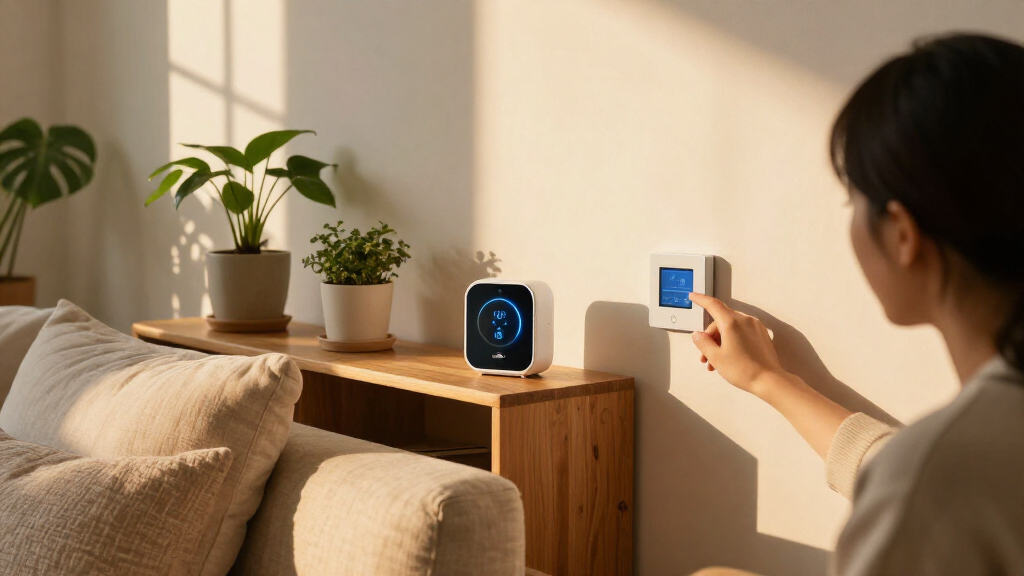
Your bedroom can feel stuffy even when the thermostat says the temperature is perfect. A small air monitor may show rising carbon dioxide, while a humidity sensor reveals that the room has been dry all night. That kind of clue is what smart home wellness devices can offer: a clearer view of everyday conditions, delivered by sensors and connected appliances.

Get wellness gear delivered free with Prime
- Fast, free delivery on millions of items
- Prime Video, Amazon Music and more included
- Member-only deals all year
This category includes air-quality monitors, smart thermostats, sleep trackers, connected lighting, sound machines, leak detectors, and fall alerts. In this blog article, you’ll learn what these products can monitor or improve, where their readings fall short, and how to choose a device that fits your routines. The goal is practical: use technology to support comfort, sleep, and safety without mistaking a dashboard for a doctor.
Pick a specific need first, such as checking bedroom humidity or changing evening lighting.
Treat consumer air and sleep readings as indicators; a device is not automatically medically validated.
Check subscriptions, batteries, filters, internet dependence, and compatibility before buying.
Set alert recipients and response steps so safety notifications lead to a useful action.
Review data collection, storage, access, and deletion controls before connecting sensors to routines.
See what smart home wellness devices can actually measure
Smart home wellness devices use sensors, connected appliances, and software to track or adjust conditions in the home that can affect comfort, sleep, and safety. Some measure a specific thing, such as temperature or airborne particles; others combine readings and routines into an app or automated response. That distinction matters when you’re deciding what a number on your screen really means.
An indoor air monitor, for example, may track particulate matter, carbon dioxide, volatile organic compounds, temperature, or humidity. A thermostat measures temperature and controls heating or cooling. A sleep sensor may estimate movement and sleep timing, while a connected light can change brightness and color through the day. Each product has its own limits; a consumer monitor is not automatically a medical or regulatory-grade instrument.
Think of a sensor like a kitchen thermometer: useful for one measurement, but not a report on the whole meal. If a monitor shows high carbon dioxide in a closed bedroom, you might open a window or review ventilation. That reading does not, by itself, tell you the cause of fatigue or diagnose a health condition. Check which sensors the device actually contains, and look for clear accuracy information rather than relying on a polished “wellness score.”
Products Worth Considering
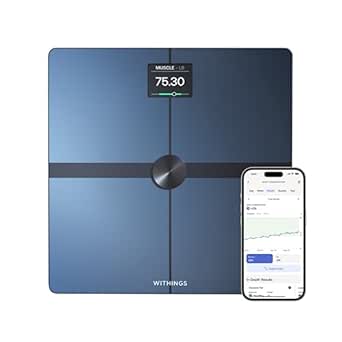
Withings Body Smart Accurate Scale for Body Weight, Fat Percentage and Body Composition

Garmin Forerunner 265S GPS Running Smartwatch, 42 mm, Black/Amp Yellow

Hyperice Normatec 3 Leg Compression Boots, Standard Size
As an affiliate, we earn on qualifying purchases.
Improve comfort with air and temperature readings
Smart home wellness devices can help you spot uncomfortable room conditions and make small adjustments, but they do not guarantee better health. Air monitors can flag changes in the measurements they support, while smart thermostats and room sensors can help keep temperatures more consistent. The payoff is practical feedback: you can test a change and see whether the reading shifts.
Imagine that your home office feels stuffy each afternoon. A monitor shows carbon dioxide rising after the door stays shut through several video calls; opening the door or improving ventilation may lower the reading. If cooking sends particle levels up, a range hood or purifier may help, depending on your home and device setup. Consumer readings can be useful indicators, but accuracy varies, so avoid treating a single alert as definitive proof of a hazard.
Humidity deserves a little attention too. If a bedroom sensor keeps showing very dry air, you can check the room and your comfort before changing anything; if a basement stays damp, look for the source of moisture rather than expecting a sensor to solve it. Conditions in the home differ from room to room, so one sensor by the thermostat may not describe a chilly nursery or humid laundry room. Start with the room where the problem shows up most often.
A reading is a clue, not a verdict. Use it to guide a simple check or adjustment, then judge whether the room feels more comfortable.
Build a calmer evening routine with connected lights
Smart lights can make it easier to follow a comfortable evening routine by changing brightness and color temperature on a schedule. They support the habit; they do not guarantee better sleep or treat a sleep problem. A lamp that fades to a warmer, dimmer glow can make a living room feel less like an office after work, while bright daytime lighting can help you see clearly around the house.
For example, you might set the kitchen lights to stay bright while you prepare dinner, then lower the hallway lights at 9:30 p.m. If you read before bed, a bedside lamp can remain warm and easy on the eyes while still giving you enough light to see the page. The gentle click of a dimmer and a softer amber glow can make the routine feel inviting, but personal preferences and room layouts vary.
Sleep sensors and connected beds offer another kind of feedback: they estimate patterns such as movement or time in bed. Use those estimates to notice a routine, like a late weekend bedtime, rather than to label yourself as a “good” or “bad” sleeper. If an app’s graph makes you more anxious about sleep, turn off the score and keep the useful parts of the routine. For ongoing sleep concerns, talk with a qualified health professional instead of relying on consumer tracking alone.
Compare safety devices before you depend on alerts
Smart home wellness devices can send alerts about smoke, carbon monoxide, water leaks, motion, or a possible fall, giving you more ways to notice a problem when you’re away or asleep. Their value depends on working hardware, sensible alert settings, and someone who can respond. A notification that arrives late or goes to an old phone number cannot do much good.
Consider an older relative who lives alone. A leak detector under the kitchen sink can send an alert before a slow drip damages cabinets; a motion sensor might show that the usual morning routine has changed. Passive monitoring can be less intrusive than asking someone to wear a device, but it can also miss context. A quiet morning might mean a change in routine, or simply a late start.
Before you rely on an alert, check how the product behaves if Wi-Fi drops, its battery runs low, or a cloud account becomes unavailable. Keep required safety equipment, such as appropriate smoke and carbon-monoxide alarms, maintained according to its instructions; a connected feature does not replace that basic upkeep. Agree who receives alerts and what they should do. For instance, a family member might call first after a missed routine alert rather than assuming an emergency has occurred.
Choose a first device that solves one real problem
The best first smart home wellness device is the one that addresses a problem you can describe in one sentence. Pick a bedroom humidity sensor if dry or damp air is your concern, or a smart bulb if you want a simpler evening lighting routine. A focused purchase is easier to set up, understand, and judge than a bundle that fills your phone with charts before you know what you need.
Use this short checklist before you buy:
- Name the problem. “The bedroom feels stuffy in the morning” gives you a clearer starting point than “I want a healthier home.”
- Check the measurements. Confirm which variables the product tracks and whether it gives understandable accuracy information.
- Review the ongoing costs. Look for subscription fees, batteries, replacement filters, calibration needs, and cloud requirements.
- Confirm compatibility. Check that the device works with your existing hub, phone, and automations; Matter aims to make supported products work together, but compatibility still varies by device and feature.
- Test the routine. Set one alert or schedule, then see whether it helps without creating nuisance notifications.
Take someone who works from home and feels cold in one corner of a large room. A separate temperature sensor may show that the office runs cooler than the hallway thermostat suggests; that information could guide a small comfort adjustment. But if the app hides the reading behind a subscription or regularly disconnects, the product may not earn its place on the shelf.
Protect the private routines your devices can reveal
Smart home wellness devices may collect sensitive details about when you’re home, when you sleep, and how you use particular rooms. A motion sensor can map daily routines even if it never records a conversation, while a sleep app may store bedtime patterns in an account. Before setup, check what data the device collects, where it is stored, who can access it, how long it stays there, and whether you can delete it or keep processing local. Those choices affect both privacy and convenience: cloud storage may make remote access easier, while local processing can limit what leaves your home but may offer fewer features or integrations.
For a concrete example, a household might use occupancy data to turn off lights in an empty room. That automation can be handy, but you should know whether the information remains on a home hub or travels to a cloud service, where it may be tied to an account and retained under the provider’s policy. On-device processing can reduce some data sharing, though the phrase alone does not tell you exactly what a product stores or sends. Read the privacy settings and product policy, and consider whether the convenience is worth the data collection for that particular feature.
Give your automations clear boundaries. A light that turns off after ten minutes may save hassle in a hallway, but a sensor that sends repeated alerts every time someone moves can quickly become background noise; people may start ignoring alerts that matter. Let people in your home know what is monitored and how to pause it, especially in private spaces. The most useful smart home setup is one you can understand, control, and comfortably live with day after day.
Frequently Asked Questions
What counts as a smart home wellness device?
It’s a connected device that measures or adjusts home conditions related to comfort, sleep, or safety. Examples include air monitors, smart thermostats, sleep sensors, connected lights, leak detectors, and fall alerts.
Are home air-quality monitors accurate?
Accuracy depends on the product, sensor, setup, and measurement. A consumer monitor can help you notice patterns, but its readings are not automatically equivalent to regulatory or medical instruments. Check which variables it measures and how the maker describes accuracy.
Can smart home wellness devices diagnose a health condition?
Most consumer wellness products are not designed to diagnose conditions. They can show estimates or household readings that may help you notice patterns, but don’t use them as a substitute for professional guidance when you have a health concern.
Do smart lights really help with sleep?
Smart lights can support a consistent evening routine by dimming or shifting to a warmer tone at a set time. People and routines differ, so treat lighting as a comfort feature rather than a guaranteed sleep fix. If sleep problems persist, seek advice from a qualified professional.
Will smart wellness devices work if the internet goes down?
It depends on the device and which features rely on cloud services. A local schedule may keep working while remote alerts or app access stop. Check offline behavior, battery life, and subscription requirements before relying on a product for an important alert.
How can I protect my privacy when using these devices?
Review what the device collects, where it stores data, who can access it, how long it is retained, and whether you can delete it. Look for local processing options where available, use only the automations you need, and tell household members what sensors are active.
Conclusion
Choose one everyday problem, then buy the simplest device that can help you observe or adjust it. A bedroom sensor, a dimmable lamp, or a leak alert can be useful when its readings make sense and its settings fit your routine.
Let the numbers guide a small experiment, not define your health. The best smart home wellness setup is the quiet kind: it helps your home feel more comfortable, then lets you get on with your day.