
TL;DR
In 2026, building your own AI workstation isn’t automatically cheaper anymore. Prebuilts now often match or beat DIY on cost and come with validated thermals, support, and faster deployment. The choice depends on your need for control versus convenience.
Imagine a rig powerful enough to run your latest AI models — but you’re stuck choosing between assembling it yourself or clicking ‘order now’ on a prebuilt. The old rule was simple: build cheap, buy fast. Not anymore.
Today, the decision is more nuanced. Costs have shifted, and factors like support, thermal tuning, and deployment speed now weigh heavily. You can learn more about building vs buying in this context. Whether you’re a hobbyist or running a small AI lab, understanding the real tradeoffs can save you time and money. For more insights, see this guide on AI workstation choices. Let’s break down what makes each option tick—and what’s changed for 2026.
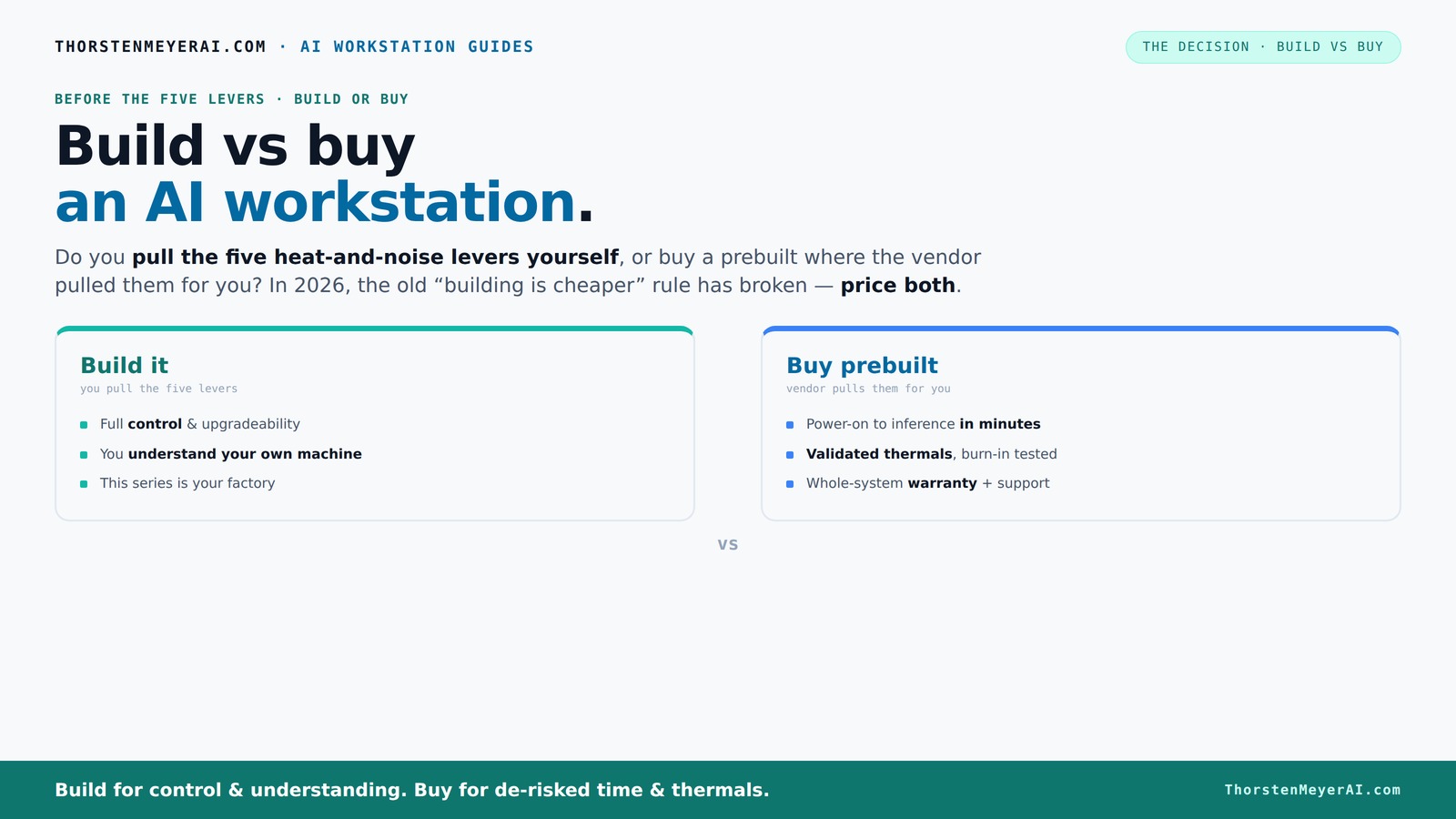
Build vs buy
an AI workstation.
The real question behind this whole series: do you pull the five heat-and-noise levers yourself, or buy a prebuilt where the vendor pulled them for you? And in 2026, the old “building is cheaper” rule has broken. Match your situation in Part 3.
Key Takeaways
- Component shortages and bulk buying in 2026 mean prebuilt systems often match or beat DIY costs for high-end AI workstations.
- Prebuilts save time with pre-installed software, validated thermals, and warranties, making them ideal for quick deployment.
- Building your own rig offers control over cooling, noise, and future upgrades, but requires technical skill and time investment.
- Total cost of ownership includes support, power efficiency, and maintenance — not just the sticker price.
- Choose based on your workflow: DIY for customization and control, prebuilt for speed and support.

HP 2025 OmniDesk M03 Premium Business Next Gen AI Desktop Computer Intel Core Ultra 5 225(Up to 4.9GHz), 16GB DDR5 RAM, 512GB PCIe SSD, Wi-Fi 6, DP, 2-Monitor Support 4K, HDMI, Windows 11
- Powerful AI Performance: Intel Core Ultra 5-225, up to 4.9GHz
- High-Speed DDR5 & PCIe SSD: Up to 64GB RAM, 4TB SSD options
- Versatile Connectivity: Multiple USB ports, HDMI, DisplayPort, Ethernet, Wi-Fi 6
As an affiliate, we earn on qualifying purchases.
As an affiliate, we earn on qualifying purchases.
Why Building Your Own AI Workstation Is Not Always Cheaper Anymore
Building a PC used to be the clear cost winner, especially for high-end AI rigs. But in 2026, component shortages and bulk buying have flipped that script.
For example, a DIY build with a high-end GPU, 64GB of DDR5 RAM, and fast SSDs used to cost around $1,200. Today, the same parts push close to $1,500 — not including assembly time or troubleshooting. Meanwhile, top-tier prebuilt systems often match or beat that price, thanks to OEM bulk discounts.
This change stems from supply chain issues, with GPU prices soaring by 25-40% in recent years. Large vendors have pre-purchased components early, locking in lower prices. The old mantra of 'build cheaper' no longer holds, and you need to run the numbers yourself.
Why does this matter? Because it forces a reevaluation of what 'cost savings' means. The time spent troubleshooting or upgrading a DIY system can outweigh the initial savings, especially when OEMs offer ready-to-go solutions with validated thermals and support. In other words, the benefit of DIY isn’t just about the sticker price; it’s also about the potential hidden costs of instability, warranty issues, and delays.
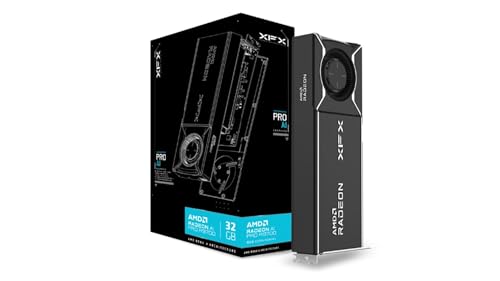
XFX AMD Radeon AI Pro R9700 32GB GDDR6 4xDP, AMD RDNA 4 RX-97XPROAIY
- Chipset: AMD Radeon AI Pro R9700
- Memory: 32 GB GDDR6
- Boost Clock: Up to 2920 MHz
As an affiliate, we earn on qualifying purchases.
As an affiliate, we earn on qualifying purchases.
The Five Levers of Heat and Noise — and Who Controls Them
Running a high-power AI workstation means managing heat, noise, and stability. The five levers are undervolting the GPU, matching the cooler, optimizing airflow, tuning the fans, and choosing the right placement. You might find this article on thermal management helpful.
If you buy a prebuilt from a vendor like Lambda, they handle all this — testing under load, tuning fans, and even water-cooling for quieter operation. You pay for that peace of mind and validated thermals.
On the flip side, building your own means pulling these levers yourself. You select a quiet GPU, pick an efficient cooler, and set up your airflow. It’s a more hands-on approach, but it grants you control and the ability to tweak over time. For example, undervolting your GPU reduces heat output and noise, which can extend hardware lifespan and improve overall system stability. This control allows you to tailor the system precisely to your environment and workload, potentially saving energy and reducing noise pollution, which is especially valuable in shared workspaces or quiet offices.
Why does this matter? Because thermal and acoustic management directly impact your hardware's longevity, stability, and user experience. Prebuilts offer tested solutions, but DIY tuning can yield better long-term performance if you understand the tradeoffs and invest the time to optimize.

Apple 2026 MacBook Pro Laptop with Apple M5 Pro chip with 18-core CPU and 20-core GPU: Built for AI, 16.2-inch Liquid Retina XDR Display, 48GB Unified Memory, 1TB SSD, Wi-Fi 7; Space Black
- Processor: Apple M5 Pro chip with 18-core CPU
- Graphics: 20-core GPU with Neural Accelerator
- Display: 16.2-inch Liquid Retina XDR
As an affiliate, we earn on qualifying purchases.
As an affiliate, we earn on qualifying purchases.
How to Decide: 5 Factors That Tip the Scale
| Factor | Build Your Own | Buy Prebuilt |
|---|---|---|
| Cost | Lower parts cost, but time and troubleshooting add up. If you have the skills and time, DIY can be cheaper, but hidden costs like debugging and component replacements can offset initial savings. | Usually more expensive upfront, but includes support, warranty, and validated thermals, reducing unexpected downtime and repair costs. |
| Speed to Deployment | Days to weeks, depending on availability of parts and assembly complexity. This delay can be critical if you need immediate results or have tight project timelines. | Ready in hours or days, often with pre-installed software and support, enabling rapid start to your work. |
| Control & Customization | High — you choose every component, configure BIOS settings, and optimize airflow and cooling. This allows you to tailor the system to your specific workload and preferences. | Limited, as vendors often use proprietary parts or configurations, but some customization options are available for upgrades. |
| Support & Warranty | Buyer handles troubleshooting, repairs, and warranty claims. This can be cost-effective but risky if you lack technical expertise or encounter hardware failures. | Includes vendor support, warranty, and quick replacements, which can minimize downtime and reduce stress, especially for mission-critical workloads. |
| Upgradeability | Easy, if you choose standard parts and follow best practices. You can swap out GPUs, RAM, or storage as needed, extending the system’s lifespan. | Depends on OEM design; some systems are modular, while others are more locked-in, limiting future upgrades. |
Choosing depends on your priorities. Want full control and customization? Build. Need quick deployment, support, and peace of mind? Buy. The landscape in 2026 makes this tradeoff more about your workflow and less about just initial cost.
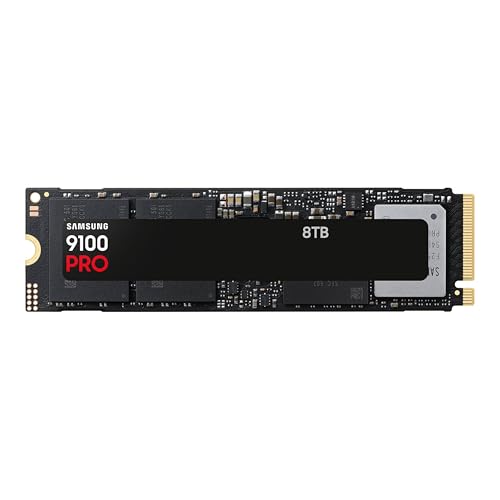
Samsung SSD 9100 PRO 8TB, PCIe 5.0x4 M.2 2280, Seq. Read Speeds Up to 14,800MB/s, Best for AI Computing, Gaming, and Heavy Duty Workstations (MZ VAP8T0B/AM)
- PCIe 5.0 Performance: Up to 14,800MB/s read speeds
- High-Speed Data Transfer: Sequential read/write up to 14,800/13,400MB/s
- Enhanced Random IOPS: Up to 2,200K/2,600K IOPS
As an affiliate, we earn on qualifying purchases.
As an affiliate, we earn on qualifying purchases.
When Building Makes Sense (And When It Doesn’t)
If you’re a hobbyist, student, or small team with time and technical skill, building your own AI workstation can save money and give you ultimate control. For example, undervolting your GPU can cut noise by nearly 30%, letting you work late into the night without disturbing neighbors. This level of control can also lead to better thermal management, which prolongs hardware lifespan and ensures consistent performance under heavy loads.
However, the implications extend beyond just saving money. Building your own system requires careful planning, compatibility checks, and ongoing maintenance. Mistakes like choosing incompatible components or improperly applying thermal paste can lead to instability or hardware damage, negating any cost savings. Plus, troubleshooting hardware issues can consume significant time, which might be better spent on your actual AI projects. Therefore, the tradeoff involves balancing the potential savings against the risk of downtime and the expertise required.
But if your time is limited or you need immediate results, prebuilt offers a clear advantage. Vendors validate thermals, install software, and support your setup — reducing downtime and getting you operational faster. For instance, a Lambda system arrives with CUDA, TensorFlow, and Docker preconfigured, so you’re training models within hours rather than days. This can be critical for tight project deadlines or competitive environments where speed matters most. Additionally, for high-end multi-GPU setups, OEMs have refined cooling systems and configurations that are difficult to replicate DIY, ensuring sustained performance and stability during intensive workloads.
Power Consumption and Long-Term Costs — Does It Matter?
Power efficiency is a growing concern. A well-tuned DIY system can be more power-efficient, reducing electricity bills. But it requires expertise — undervolting and airflow tuning are key.
Prebuilts often come with factory-optimized power settings, which can save energy and extend hardware lifespan. For example, a prebuilt with custom water cooling might run 10-15% more efficiently under load, saving you money over months or years. This efficiency has long-term implications, especially for organizations running continuous workloads, where even small percentage improvements can translate into significant cost reductions over time.
In the end, the total operational cost depends on your workload. If you run heavy training for hours daily, the power savings from a well-tuned build add up, making DIY more attractive financially. Conversely, if your usage is sporadic or less intensive, the convenience and lower risk of prebuilts might justify their slightly higher ongoing costs. Additionally, energy savings contribute to environmental sustainability, which is increasingly important for organizations aiming to reduce their carbon footprint.
Who Should Build, Who Should Buy? A Quick Guide
If you have the time, passion for tuning, and want full control, building your own AI workstation is the way. For example, hobbyists often undervolt GPUs and optimize airflow, getting more performance per dollar. This approach allows you to experiment with different cooling solutions, BIOS tweaks, and component configurations to maximize performance and efficiency tailored to your specific needs.
But if you prefer to spend your time training models, not troubleshooting hardware, buy. Small startups and professionals who need to hit deadlines benefit from vendor support and validated thermals. For instance, a startup running daily inference tasks needs a reliable, supported system to avoid costly downtime. The support infrastructure also facilitates easier scaling, warranty claims, and hardware replacements, reducing the operational overhead and risk of unexpected failures.
In 2026, it’s less about which is cheaper and more about what fits your workflow, expertise, and timeline. Consider the tradeoffs carefully: DIY offers customization and potential long-term savings but demands technical skill and time. Prebuilts offer speed, reliability, and support, making them ideal for those who prioritize operational continuity and minimal hassle.
Frequently Asked Questions
Is it cheaper to build or buy a prebuilt AI workstation?
In 2026, component shortages and bulk discounts have leveled the playing field. While DIY parts are often cheaper on paper, the added costs of time and troubleshooting often make prebuilts equally or more cost-effective.How much extra does a prebuilt really cost after warranty and support are included?
Prebuilts typically add a markup of 10-20% for convenience, support, and validation. However, this cost can be offset by the time saved and reduced risk of hardware failures, especially for high-end workloads.What AI workloads benefit most from a local workstation instead of cloud GPUs?
Heavy training tasks, multi-GPU scaling, and projects requiring low latency or data privacy benefit from local workstations. Cloud services can be more cost-effective for sporadic or less intensive tasks.Are prebuilt AI workstations upgradeable or locked in?
It depends on the OEM. Many high-end prebuilts use standard components and allow upgrades, but some OEMs employ proprietary parts that limit future modifications. Always check the upgrade policy before buying.How important are warranty and support for AI teams?
Very important. AI workloads are sensitive to hardware failures, and support can minimize downtime. Vendors like Lambda offer extended warranties and on-site repairs, reducing risk and ensuring continuity.Conclusion
In 2026, the choice between building or buying your AI workstation isn’t just about saving money. It’s about what you value most—control or convenience, customization or speed.
Think carefully about your needs, skill, and timeline. Sometimes, a prebuilt is the smarter move; other times, your own craftsmanship wins.
Either way, the right system gets you closer to those AI breakthroughs, faster and more reliably than ever before.